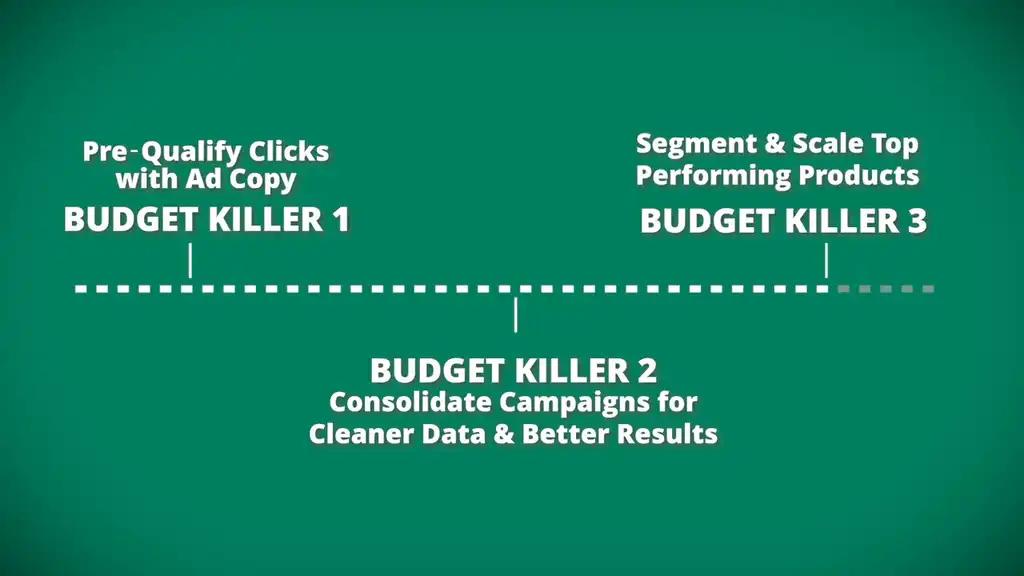
One Google Ads habit quietly drains more budget than bad keywords. After doing thousands of audits, I still see brands doubling down on it. In this article, I’ll show you that habit and the top 3 Google Ads budget killers for 2026 and how to save Shopify stores money by fixing them fast.
First up is the fastest win that stops bad clicks before they ever cost you a dollar.
Stop Wasting Ad Spend Today
Download the free checklist that helps you identify and fix the Google Ads mistakes silently draining your budget.
Budget Killer #1: Paying for Traffic That Was Never Going to Convert
Let’s say you’ve got a new Google Ads campaign, ad group, or asset group, and your ads are getting clicks but those clicks aren’t turning into sales. The reason is likely that you’re paying for traffic that was never going to convert.
The greatest factor for conversion rate is the source of traffic and how qualified those visitors are. And there’s a hidden influence on this that isn’t keywords.
If the wrong people are clicking your ads, nothing else in your account matters.
Your CPA shoots up and confidence in the campaign drops.
This is exactly what was happening for an established client of ours during their End of Financial Year sale. Broad, generic headlines like “Get a Free Quote” or “Best Deals Today” aren’t attracting the best people. I could have been attracting even more buyers by using some special trigger words.
When sale periods like Black Friday spike your costs, you can’t afford to buy traffic. You have to go after buyers. This is how you win with a small Google Ads budget.
The Fix: Pre-Qualify Clicks with Ad Copy
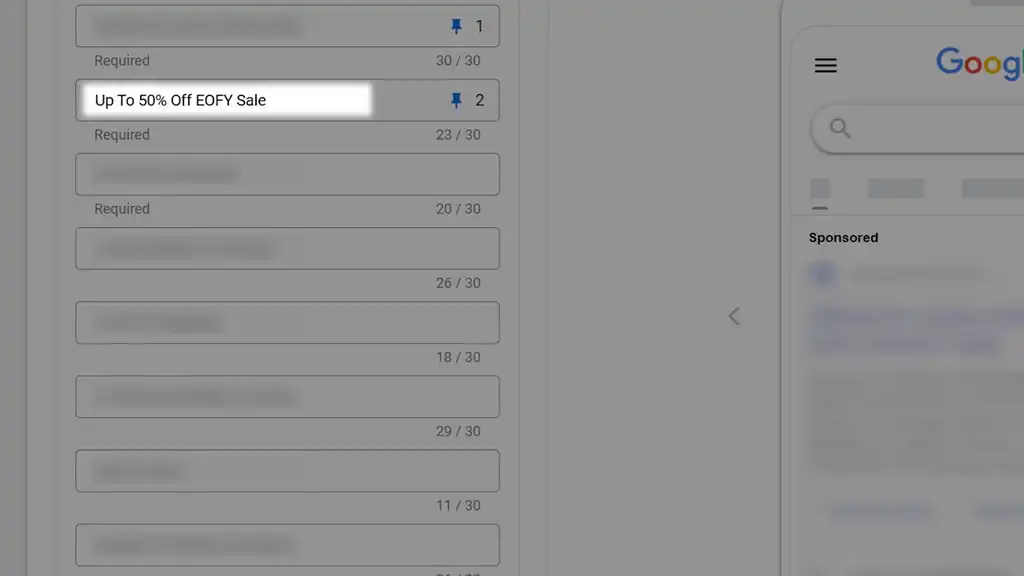
Here’s the simple change I made that fixed it. I pinned a clear sales message in Headline 1 — “Up to 50% Off EOFY Sale” — that filtered for intent and created urgency.
Sounds crazy simple, right? It is.
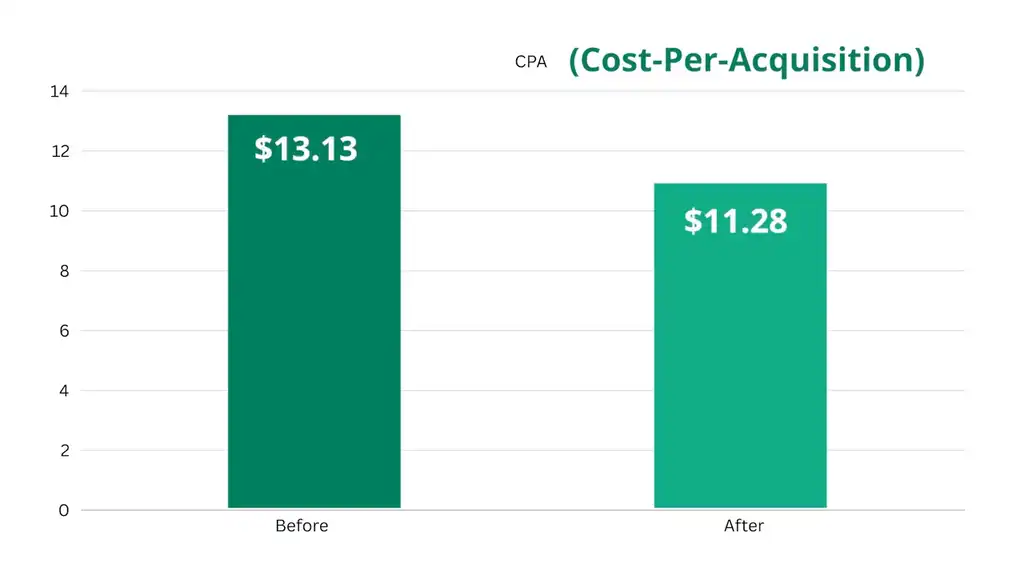
The result was a lower CTR, from 6.4% to 5.61%, and a lower CPA, from $13.13 to $11.28.
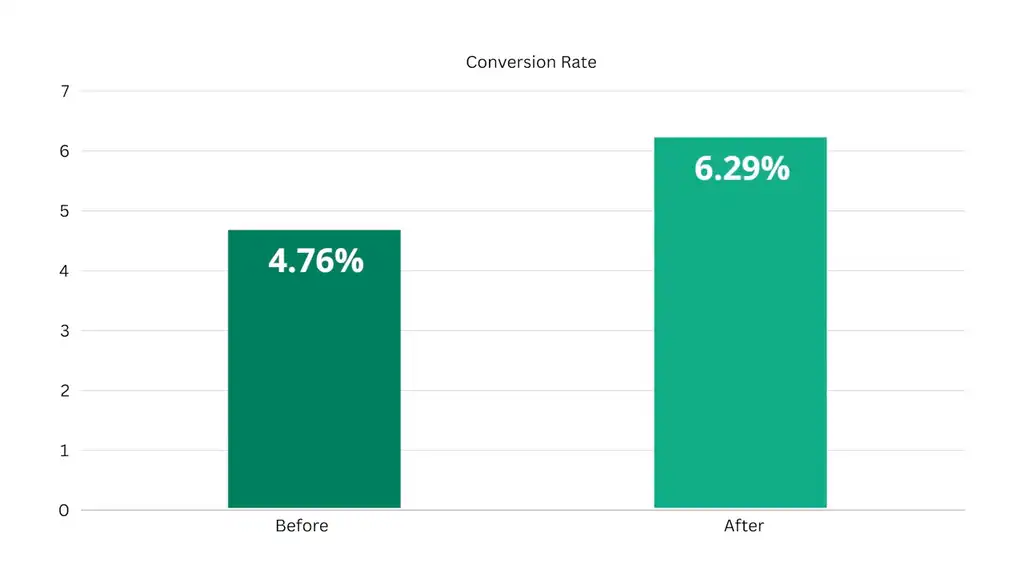
But here’s the big one. This headline improved conversion rate from 4.76% to 6.29%.
The extra bonus is improved revenue too, shown by the difference in ad spend and ROAS. The only reason that number isn’t higher is it was added late and didn’t get the same ad spend as the previous one.
Now, this doesn’t just apply to sale periods. Fewer, better-qualified clicks always leads to higher conversions. The trick is in how you qualify interested shoppers, as that depends on who you’re targeting.
How to Apply This to Your Store Now
- Add a qualifier in your headline. Some good qualifiers are pricing, location, discount, or audience demographic. For example, “Starts at $25” or “For Remote Executives”.

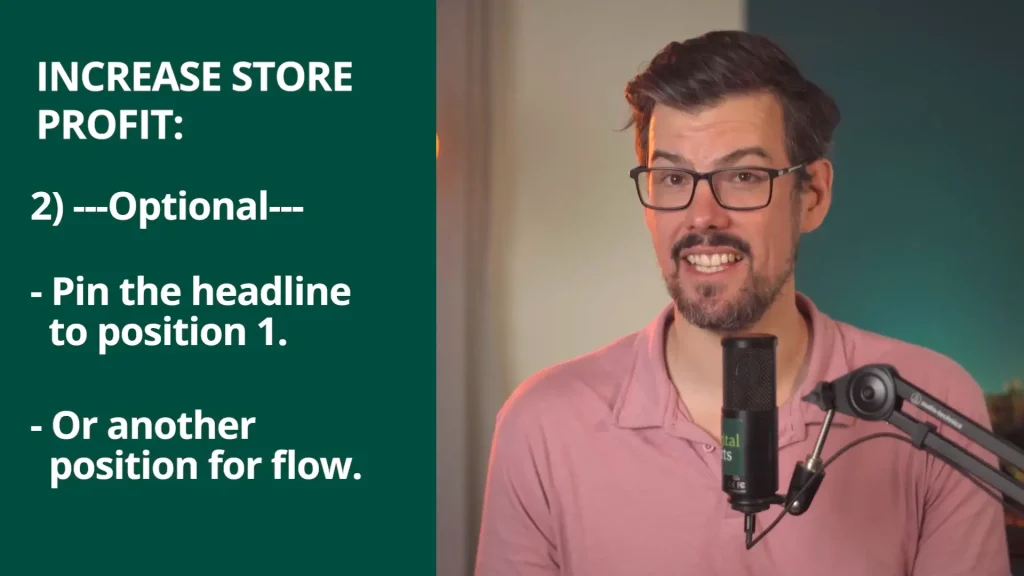
- Optional: Pin that headline to position 1, or another position that makes sense for the flow of the copy.
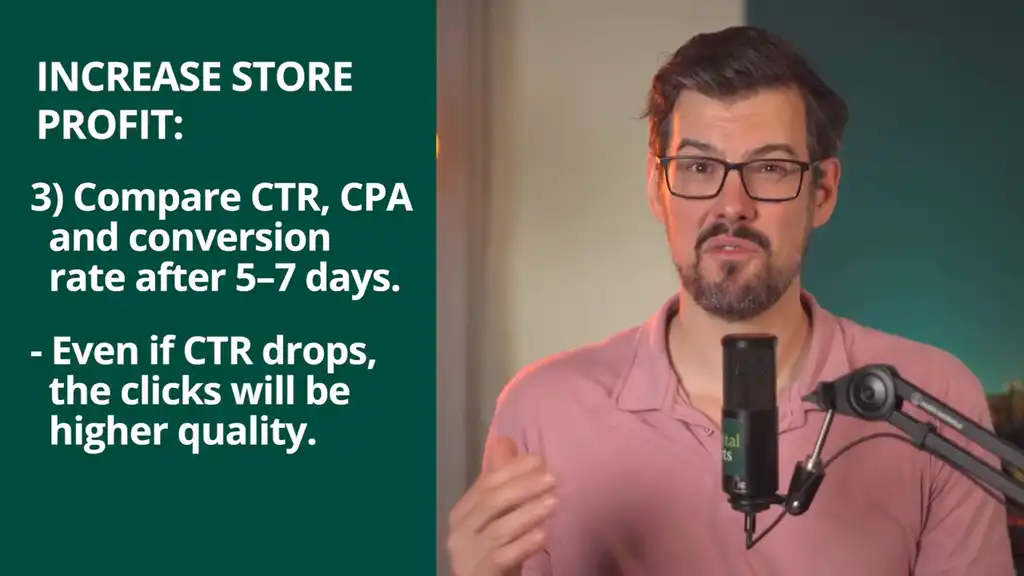
- Compare CTR, CPA, and conversion rate after 5–7 days. Even if CTR drops, the clicks will be higher quality, so CPA should lower and conversion rate should increase. The bonus is that total revenue sometimes jumps too.
That’s a quick win. This next part is where most brands accidentally make things worse because after fixing click quality, they fall straight into that silent budget-killing habit I mentioned at the start.
Budget Killer #2: Too Many Campaigns Starve Google of Data
Many marketers think more campaigns equals more control. Sorry to break it to you… it doesn’t. It often leads to worse decision making.
Too many campaigns spreads your budget thin. Your results become patchy, you can’t tell what’s working, and nothing seems consistent.
When campaigns get less than 20 conversions per month, Google struggles to learn. This is the silent killer. Too many campaigns starve Google of good data and destroy its ability to make good decisions.
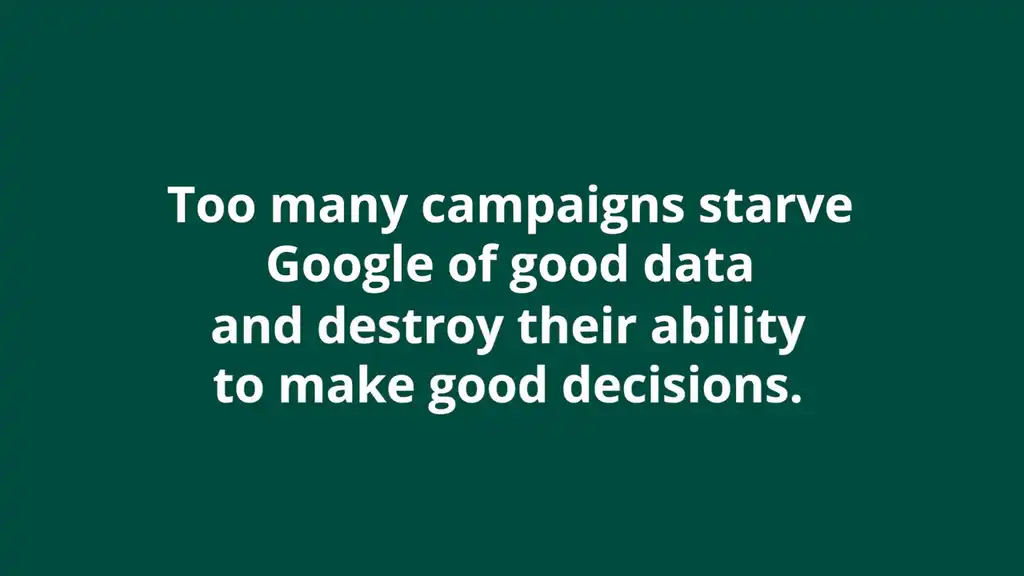
We had a client with this exact issue. They tried splitting out more campaigns to “get control”. They basically ended up with one campaign per product and location. After getting confused at the poor results, they called in the experts.
The Fix: Consolidate Campaigns for Cleaner Data and Better Results
This is how we fixed the problem to scale their Shopify store.
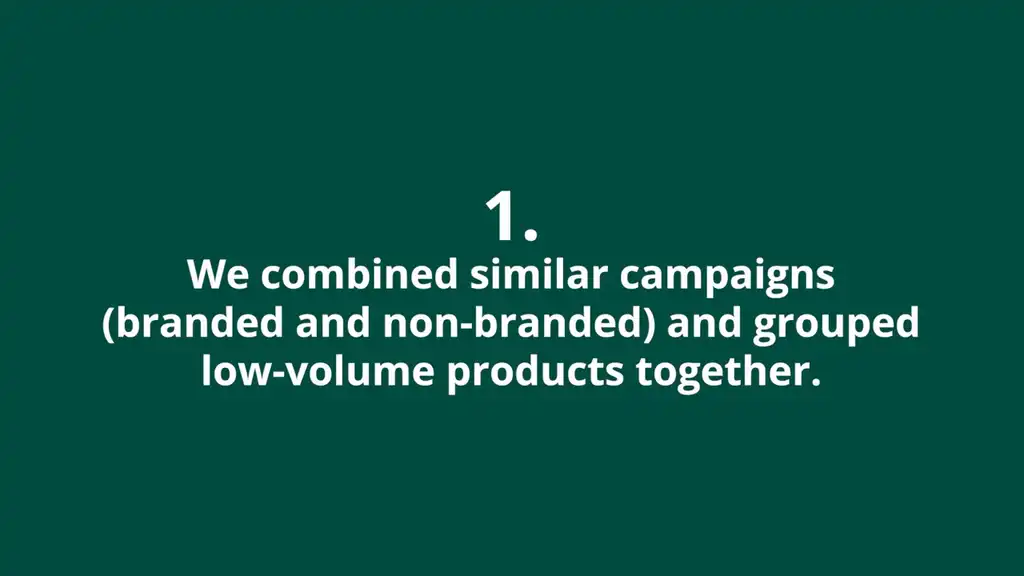
First, we combined similar campaigns, such as branded and non-branded, and grouped low-volume products together. Because there were fewer campaigns, it was simpler to understand and make budget decisions, and it gave Google more data to learn.
Then we increased ROAS targets for those fewer campaigns, which doubled new customers and increased impressions and revenue. We had the confidence to do that because we had clearer profit goals from the groups of products.
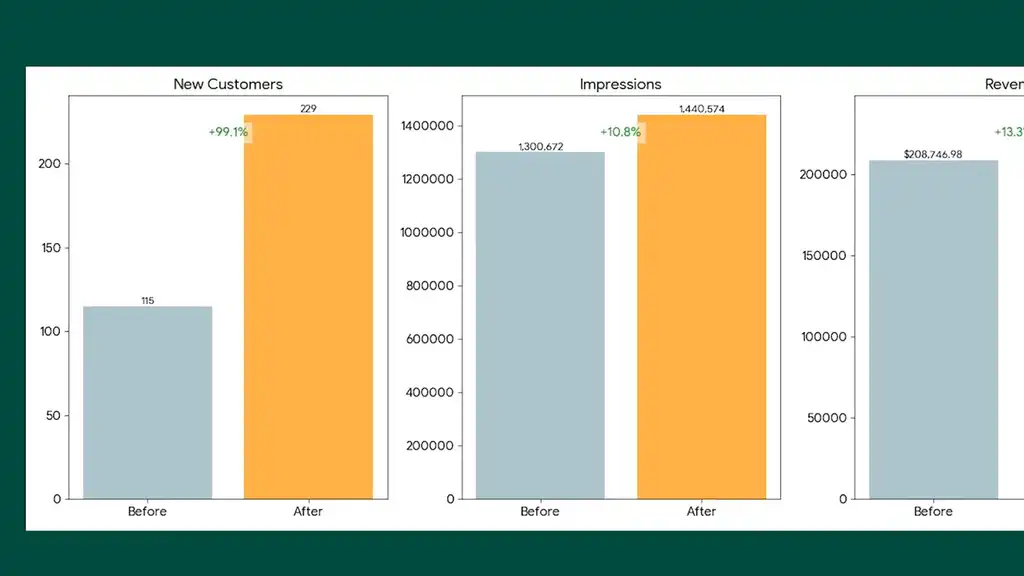
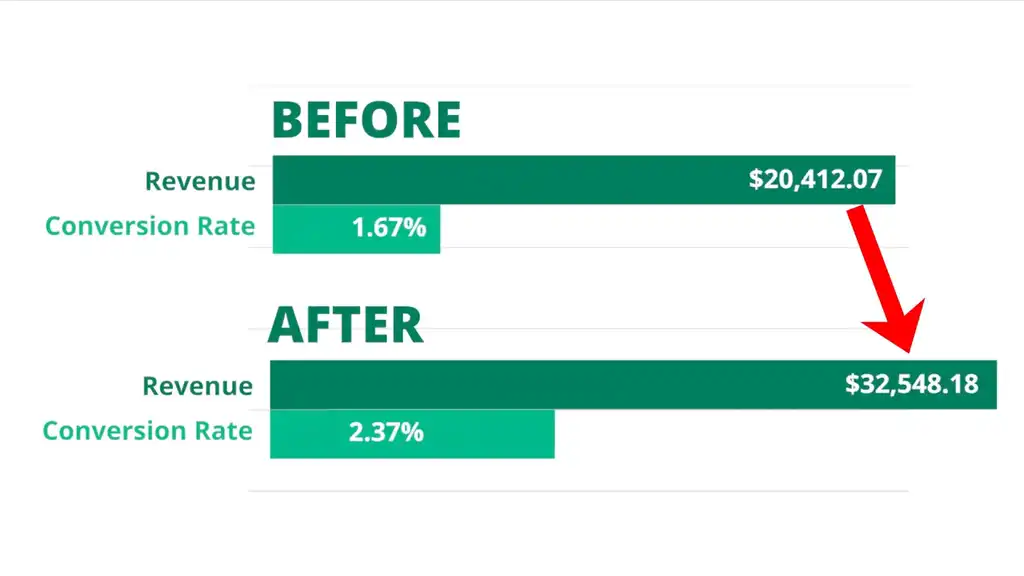
Their revenue jumped from $20K to $34K.
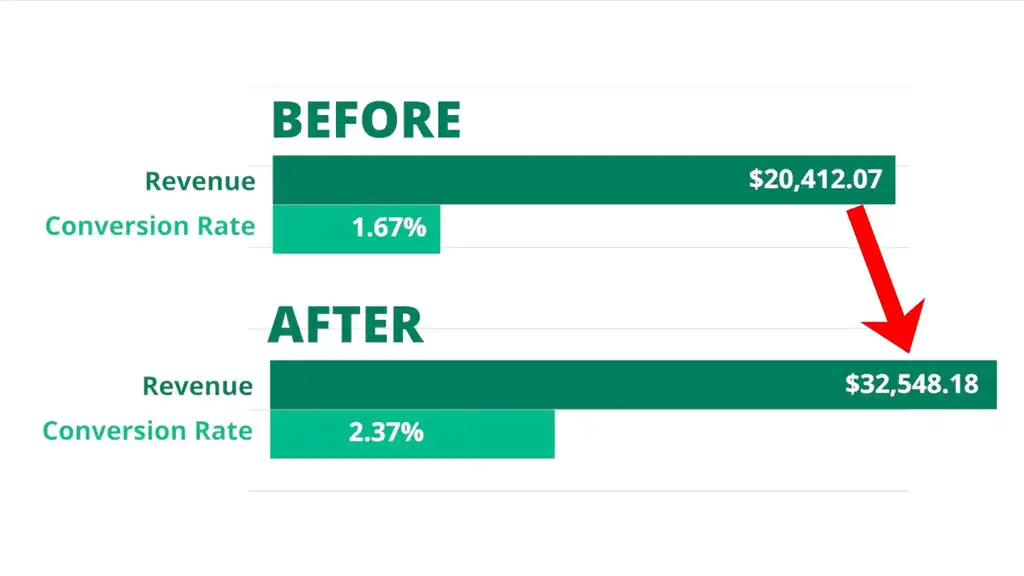
Not only that, but the store-wide conversion rate went up from 1.67% to 2.37%.
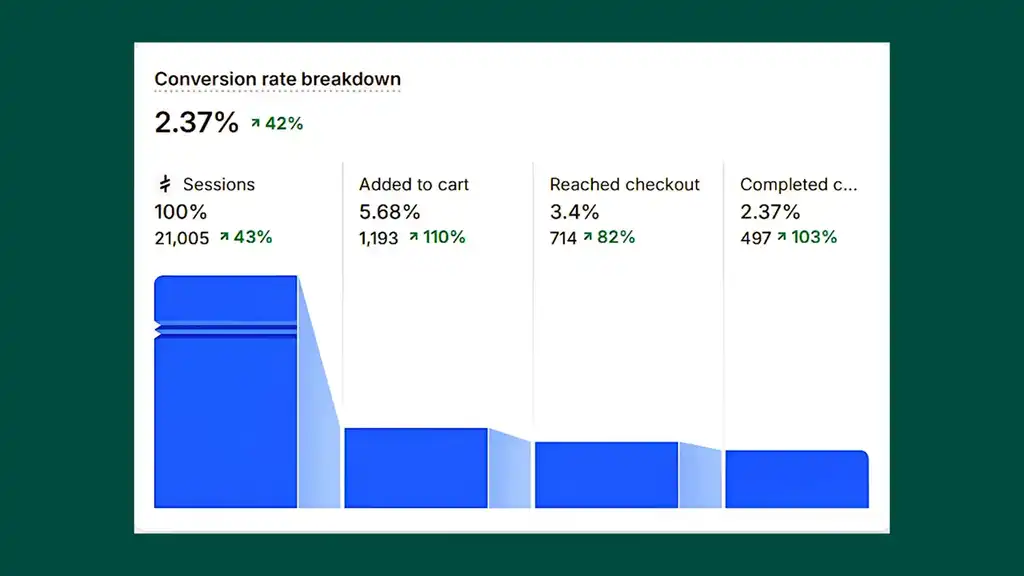
Do you see how merging smaller campaigns gets you better traffic ready to buy?
More campaigns doesn’t equal more control. More campaigns can worsen Google’s learning, scatter your budget, and confuse your decisions.
How to Apply This to Your Store Now
- Audit your campaigns. Note any driving less than 20 conversions per month.
- Combine audiences, locations, product groups, or keywords into a smaller number of well-structured campaigns. An important one is branded vs non-branded keywords.
- Reallocate budgets to those consolidated campaigns to help Google learn faster.
Even once you consolidate campaigns, Shopify stores often hit a ceiling if they stop here. Don’t. This next unlock compounds your revenue fast.
Budget Killer #3: Your Best Products Are Being Held Back
Let’s say you’ve got a Shopping or Performance Max campaign running all your products, but most of the sales come from just 2 or 3 items. The issue is that Google fixates on products that convert early — so products with great potential or a high lifetime value rarely get seen. Your best products can be held back.
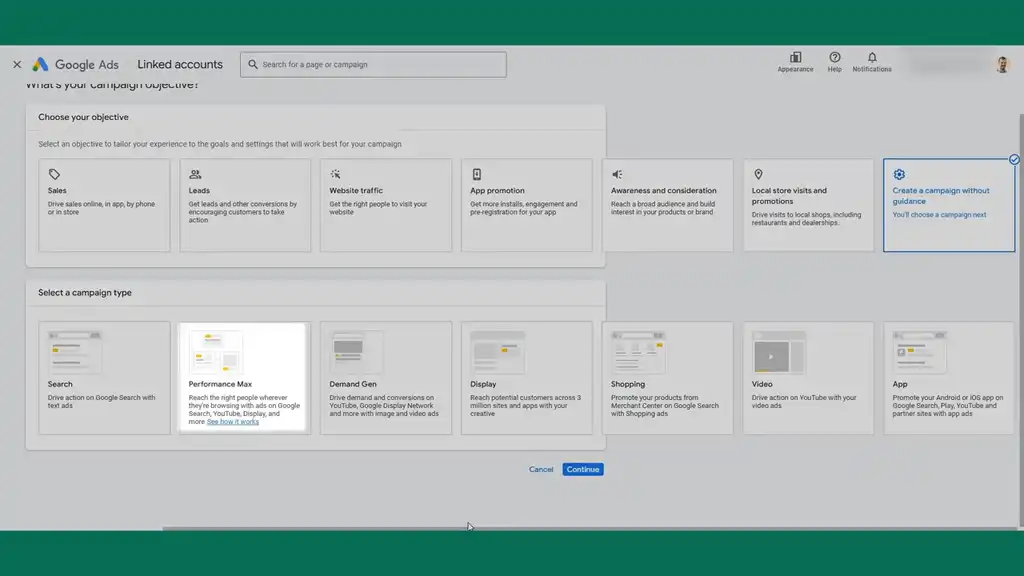
We’ve had many clients come to us with this very problem. They tried adding more budget to the same campaign, hoping those forgotten products would catch up.
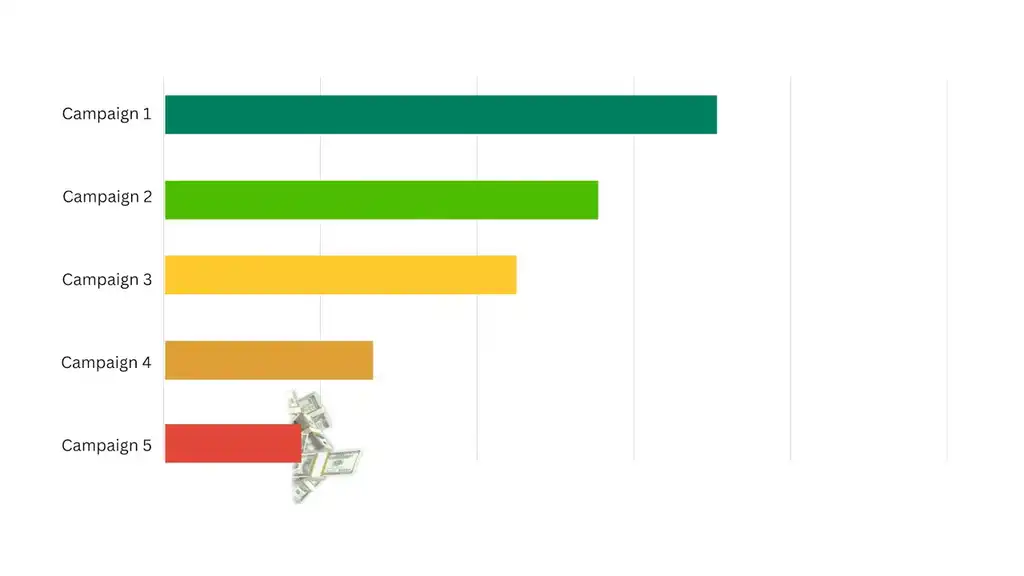
Nope. Still poor ad impressions. They tried running all products together with equal weight.
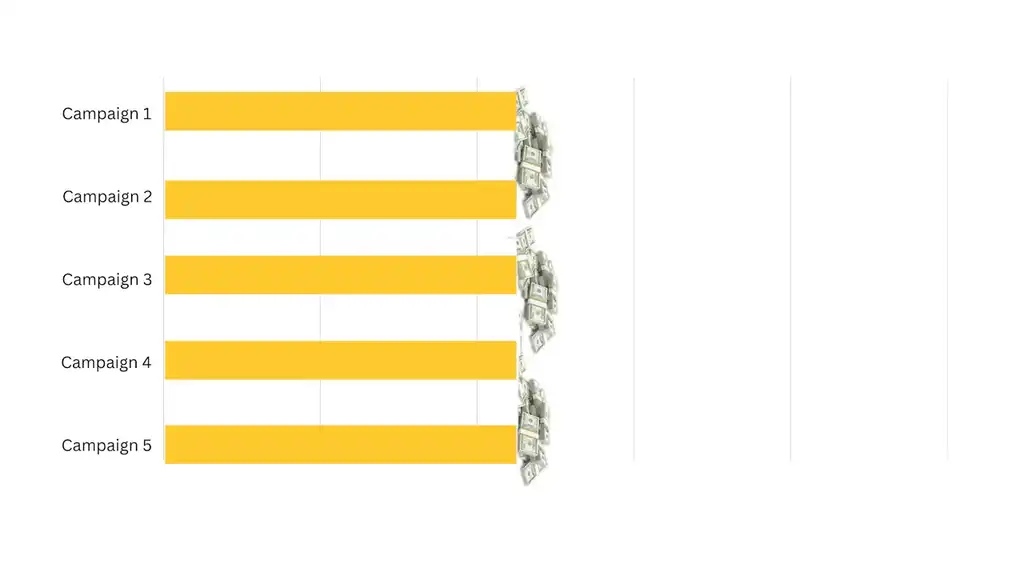
But at scale, this destroys profit because products have different margins.
The Fix: Segment and Scale Top-Performing Products
Instead, we segmented “Top Sellers” into a dedicated campaign by tagging high performers. Then we gave them more visibility, tighter and more persuasive copy, and better bidding.
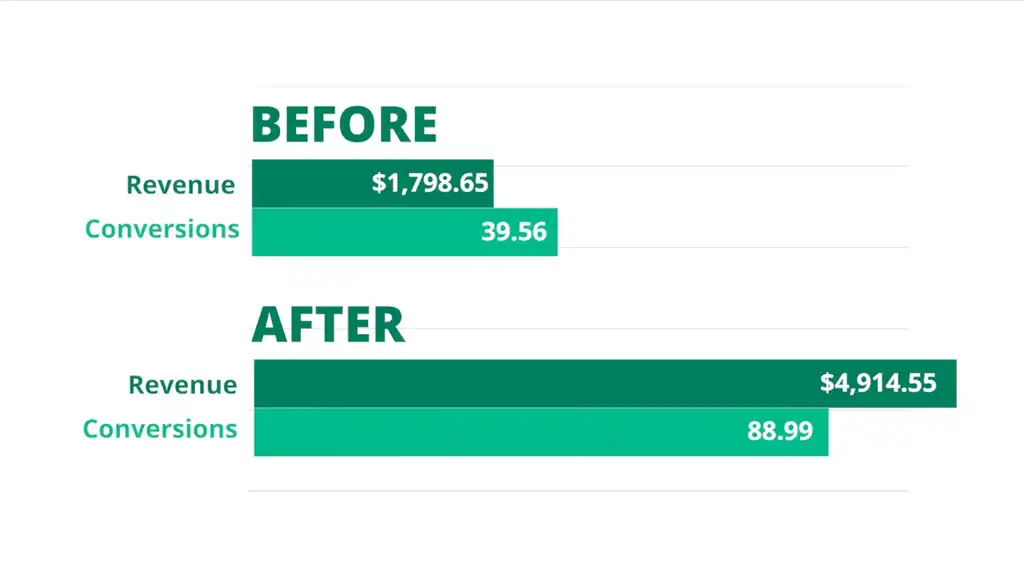
The result for one client was a huge 173.24% increase in revenue as conversions increased from 39 to 89 over the same period of time.
When you group all your products together, your best ones get held back. You don’t need more products, you just need to let your stars shine while giving others a chance.
How to Apply This to Your Store Now
- Isolate the losers. View products by title, type, or brand. Then group the ones with low impressions and clicks.
- Identify top-performing products by ROAS, revenue, or conversions. Tag them as “Top Sellers”.
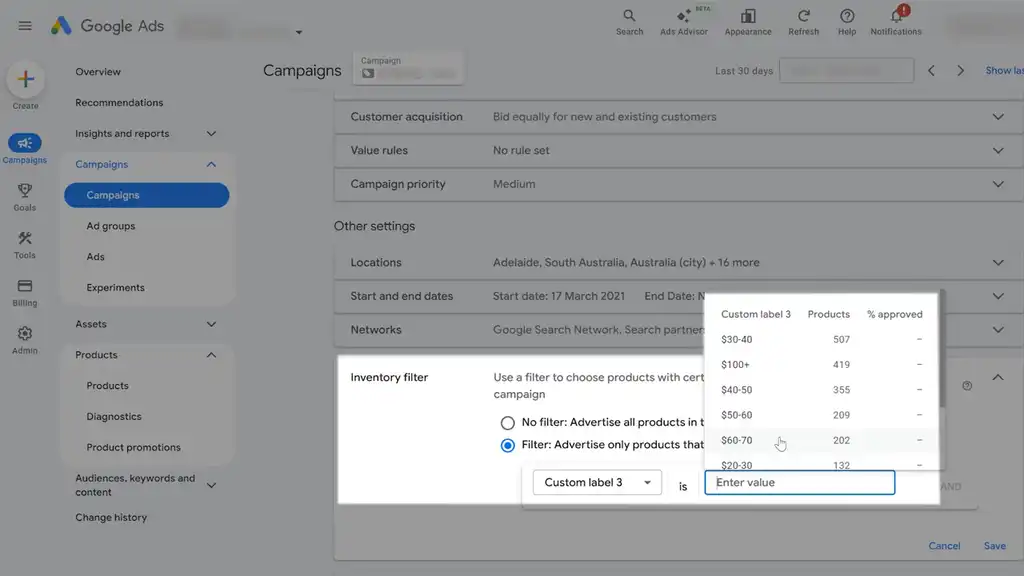
- Move those into a separate campaign with their own budget and bidding by having a filter at the campaign level. Or you can exclude the products at the listing group level for Performance Max —
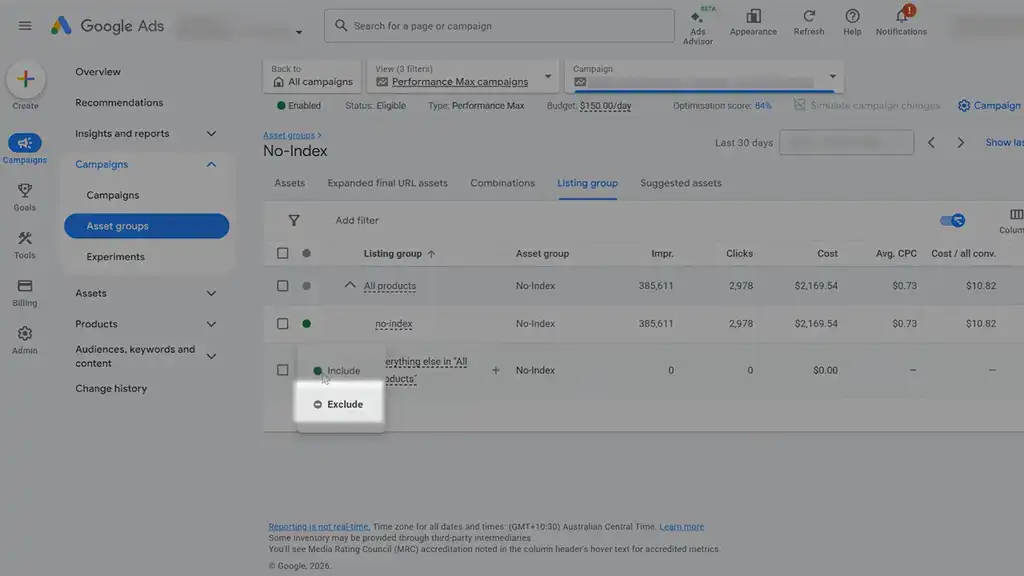
— or at the product group level for a Shopping campaign.
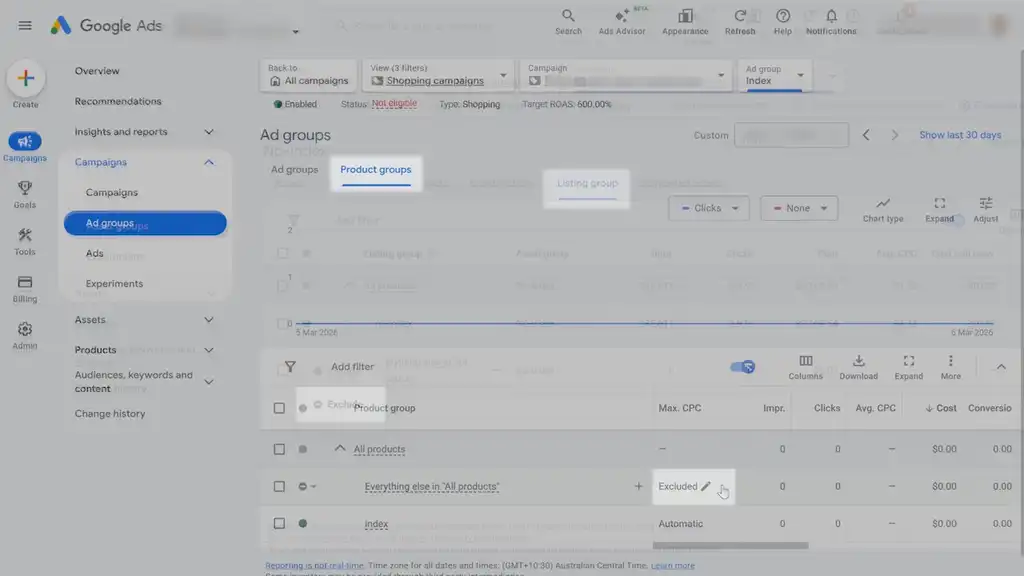
- Scale that top-seller campaign as the products prove themselves to really let them shine.
Make sure you get your free Google Ads profit checklist. After you fix these 3 things, the scariest thing about Google Ads right now is a bunch of default settings that are quietly sucking ad spend. To fix that problem too, check out my other article covering all of my quick top tips to improve your Google Ads performance.
What You Should Do Next...
Get More Free Tactics
Join over 5,000 subscribers. I send what's working in Google Ads, SEO and Meta Ads, taken from the Shopify accounts we run.
Work With Us
We partner with a small number of Shopify stores each quarter to scale paid ads, SEO, and conversion rate. If you're serious about growth, apply below. If it's a fit, we'll schedule a call to map out your plan.
APPLY TO WORK WITH US